Open Ticket
  +373 79 600002
  Telegram Live Chat
  F.A.Q
F.A.Q  English
 Русский
  Română
  Deutsch
  Français
  Türkçe
  Español
  Português
  Українська
  български
  Polski
  Indonesia
  中文 (中国)






































































































































 on All Hosting Services






Handling Complex Automation More Effectively With n8n
Why Automation Gets Messy Faster Than People Expect
What starts as a simple automation rarely stays simple. A form lead lands in a CRM, triggers Slack, calls an enrichment API, checks for duplicates, then passes through an AI summary and a human approval. At that point, the hard part is no longer connecting app A to app B. It is keeping the chain understandable when several systems, one model, and one team are involved.
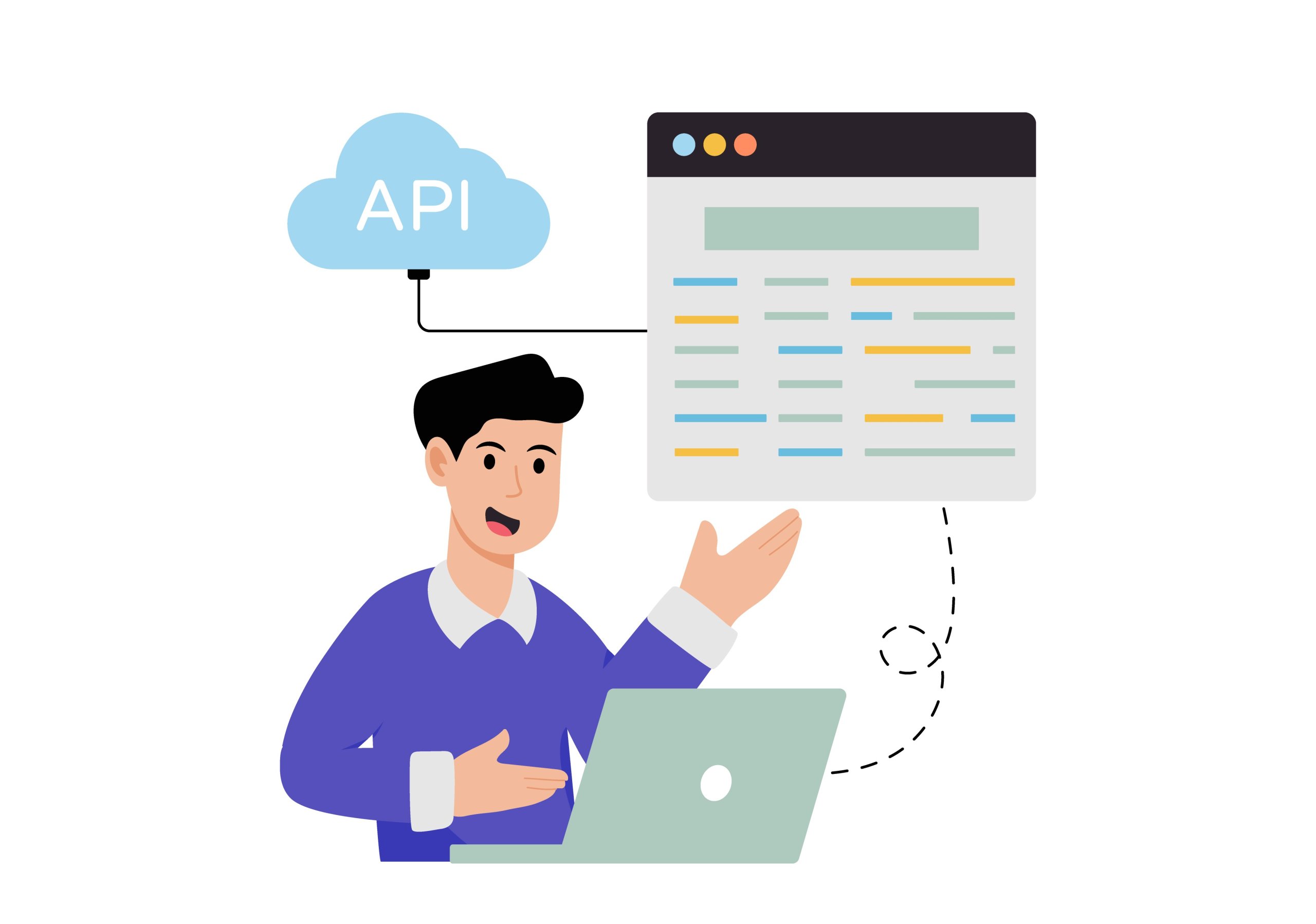
This is where common approaches start to break.
- One-off scripts become brittle when inputs change
- APIs fail, or someone else has to maintain them
- Lightweight SaaS connectors handle the happy path, but struggle once you need branching, retries, or approvals
AI does not remove that need for structure. It can classify, extract, or summarize, but the workflow still has to decide what happens before, after, and when its output should not be trusted alone.
The missing layer is orchestration: one visible system that controls what happens next. The pain is coordination, ownership, and visibility across tools that do not naturally work together. Once that is the problem, the useful question is not “how do we add more automation?” but “what kind of tool gives us control over automation that is already messy?”
What n8n Actually Is — and What It Isn’t
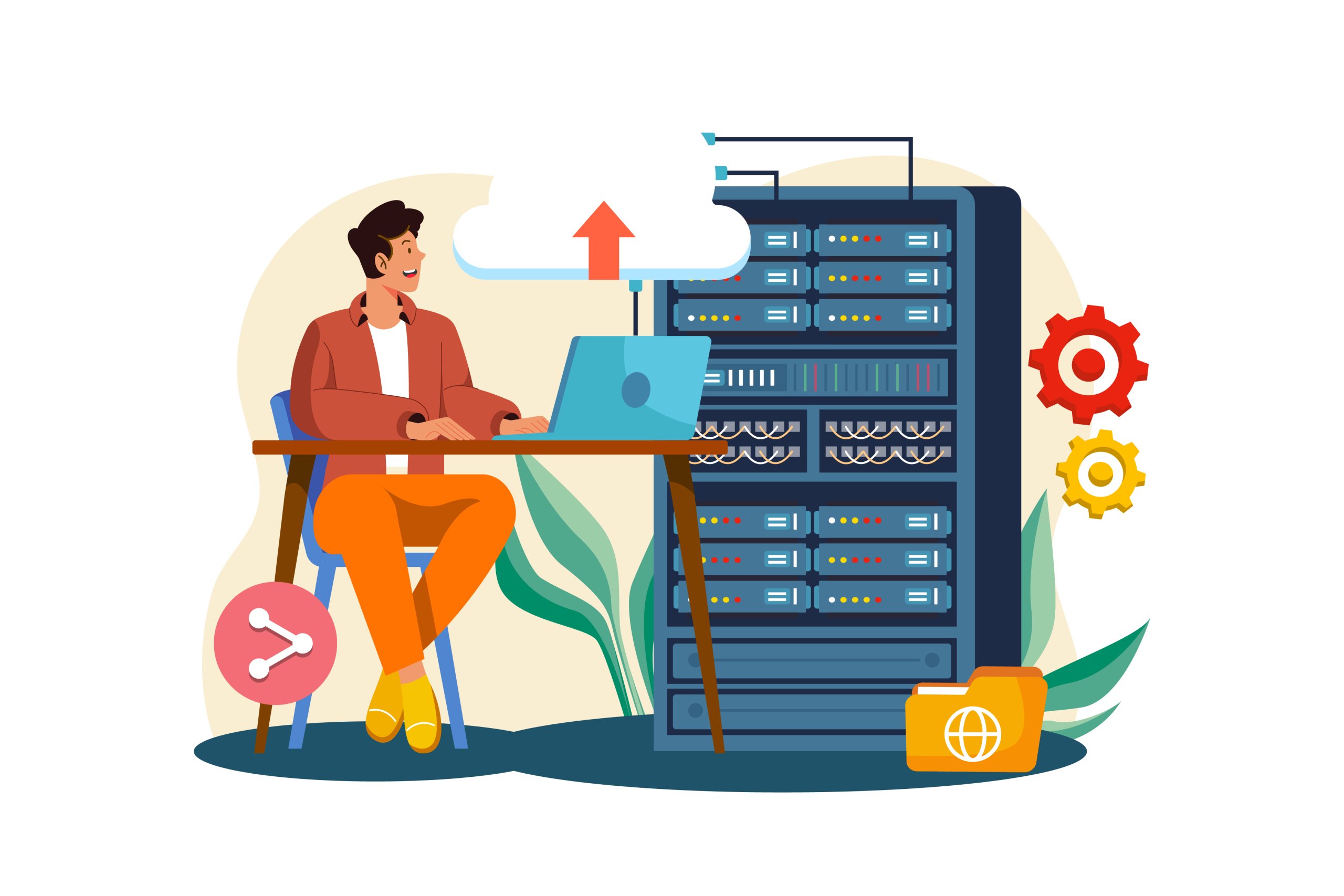
n8n is a workflow automation platform for processes spanning apps, APIs, databases, webhooks, AI steps, and internal systems. It lets you build workflows from triggers, logic, transforms, and actions in a visual builder, with code or raw HTTP when needed. That is the cleanest answer to “what is n8n?” It is more than a connector catalog and more than an AI wrapper.
The basic anatomy is simple.
- A workflow is the full process.
- A trigger starts it, such as a webhook, schedule, or new record.
- A node is one step. A branch splits paths.
- An execution is one full run.
📝 Note: In compact form: trigger -> process data -> branch or decide -> act, store, or notify.
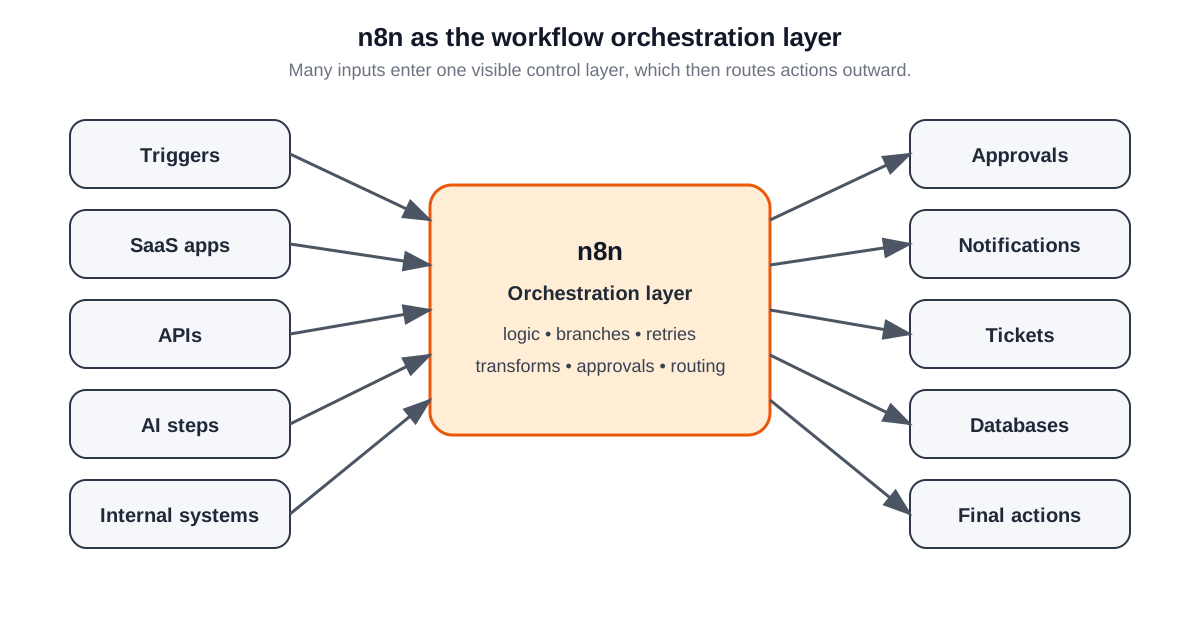
Think of it as a digital operations switchboard. n8n sits in the middle and coordinates the flow instead of leaving every system to talk to every other system on its own. That is why calling it only “a Zapier-style no-code tool” misses the point. The builder matters, but the bigger value is visible workflow logic once the process stops being linear.
A quick boundary table clears up the usual category mistakes:
| Framing | Accurate? | What that really means |
|---|---|---|
| 🔌 Simple no-code app connector | Partly, but too narrow | It connects apps visually, but also handles logic, transforms, conditions, and API work beyond shallow app chaining. |
| 🤖 AI workflow layer | Sometimes, but not the whole story | AI can sit inside the workflow, but it is one capability, not the platform’s reason to exist. |
| 🖥️ Self-hostable platform | Yes, but incomplete | Self-hosting matters, but deployment choice is only part of the value. |
| 🛠️ Custom integration escape hatch | Yes | HTTP requests, code, and API access keep niche apps and internal tools from blocking the workflow. |
It is also accurate to say n8n is self-hostable and source-available under a fair-code model, but not OSI open source in the strict licensing sense. That matters if deployment control is part of your evaluation, though the license question only becomes useful after the workflow and infrastructure questions.
So the right mental model is this: n8n is a workflow automation platform with a visual builder, real logic, API reach, and deployment flexibility. Once that is clear, the next question is why teams choose it over simpler tools or custom code.
Why Teams Use n8n in the First Place
The short answer is that n8n fills a middle layer many teams need. It gives you a UI when you do not need code and code when you do. Once a process includes conditions, enrichment, retries, internal lookups, approvals, and multiple outputs, the question is no longer whether the tool is visual or technical. It is whether the workflow can grow without turning into scattered glue.
That is why branching logic matters.
- Mature workflows do not follow one perfect path forever.
- Some records need another route. Some API calls need retries.
- Some actions should pause for approval.
- Some data arrives in the wrong shape and must be normalized before the next system can use it.
Those are not edge cases. They are what turn a handoff into an operational process.
Architecturally, n8n becomes the place where triggers, decisions, and downstream actions are assembled into one workflow.
1) Built-in integrations cover many common services. But n8n does not stop being useful when a workflow touches a niche SaaS product, a private API, or an internal service outside the connector catalog. In those cases, HTTP requests and code-capable steps keep the workflow together instead of splitting it into scripts elsewhere.
2) Operational clarity is another major reason teams choose n8n. You can inspect the workflow structure, the inputs and outputs at each step, and the exact point where an execution failed or branched unexpectedly. Shared debugging and maintenance are easier when the process is traceable in one place.
3) Cost matters too, but it belongs lower on the list. A workflow execution is one run from trigger to outcome, and execution-based pricing can be easier to reason about for recurring, multi-step workflows. Even so, the strongest reason to use n8n is usually not raw savings. It is that the workflow can keep evolving without collapsing into brittle app chaining or custom glue.
Where n8n Fits Best in Real-World Workflows
n8n tends to fit best when a workflow crosses systems, needs decisions between steps, and will likely need shared ownership over time. That makes it useful in the space between tiny automations and fully bespoke integration projects. The patterns are easier to see in examples.

For developers, a common pattern starts with a webhook from GitHub or GitLab. A workflow can react to an issue, deployment, or pull request event, enrich it with API or database context, check for duplicates elsewhere, and route the result to Slack, a ticket queue, or an internal tool. The point is keeping event handling, lookups, and routing in one maintained workflow instead of scattered scripts and chat alerts.
For self-hosters and sysadmins, the sweet spot is operational coordination. An alert can arrive from monitoring, trigger a service check, pull backup status, look up the affected host or user, and route the incident to the right channel or escalation path. The same pattern works for user lifecycle tasks, scheduled checks, certificate reminders, or backup verification flows that touch private infrastructure and public services. These workflows benefit less from glossy connectors than from internal reach and clear escalation logic.
For business and operations teams, the shape is different but the logic is the same.
- A lead can arrive from a form, get enriched in the CRM, checked against account data, then scored or tagged before going to the right owner.
- A support request can be classified, matched to account context, and sent down different paths based on urgency, billing status, or product area.
- An invoice or meeting transcript can also trigger follow-up tasks without forcing staff to copy details between tools.
In short:
| Audience | Example workflow | Why n8n fits better than a single-purpose connector |
|---|---|---|
| 👨💻 Developers | GitHub or GitLab webhook -> API or DB enrichment -> route to Slack, tickets, or internal tools | Needs logic, context gathering, branching, and visibility across several technical systems. |
| 🖥️ Self-hosters / sysadmins | Monitoring alert -> service or backup check -> incident routing -> follow-up notification | Touches private infrastructure, needs conditional behavior, and benefits from inspectable escalation paths. |
| 📊 Business / ops teams | Lead routing, CRM enrichment, support triage, invoicing follow-up | Crosses business tools, includes decision points, and often needs human checkpoints. |
| 🤖 AI-in-the-loop workflows | Document or ticket arrives -> AI extracts, classifies, or summarizes -> rules validate -> workflow routes onward | AI helps with interpretation, but routing, validation, and ownership still belong to the workflow layer. |
Why Self-Hosting and Infrastructure Control Matter Here
One reason n8n keeps showing up in infrastructure conversations is that its official framing is not only about features.
Teams are offered two paths: n8n Cloud or self-hosted n8n.
That matters because the deployment question is often practical before it is ideological. Some teams do not care where the workflow runs. Others do because it touches internal systems, private networks, or data they do not want routed through a third party.

Self-hosting matters when placement changes what the workflow can safely reach or where its data should live. Running n8n on infrastructure you control can make it easier to connect private services, keep execution close to internal systems, and choose your own networking model. That matters most when automation is no longer just SaaS-to-SaaS, but part of an internal operations stack.
📝 Note: n8n is self-hostable and source-available under a fair-code model, but that is not the same as OSI open source. Internal business use, modification, and self-hosting are broadly allowed; the main restriction is offering hosted n8n itself as the service you resell.
The self-hosted path also stands out because the free Community edition includes almost all core workflow capability, while paid plans mainly add governance and enterprise controls. That makes self-hosting a real option rather than a crippled demo. If control over placement is the reason for choosing n8n, the relevant hosting layer becomes the VPS or dedicated environment underneath it, whether in your own rack or with a provider like AlexHost.
Still, control is not automatically value. Self-hosting is not always cheaper, simpler, or more open in every sense. It is useful when privacy, internal connectivity, or operational constraints justify the extra responsibility. That is why the self-hosting argument only makes sense after the workflow argument. First decide whether n8n fits the process. Then decide whether cloud or self-hosted fits the operating model.
The Trade-Offs You Should Be Honest About

n8n is more technical than ultra-simple automation SaaS tools, and that is intentional. The platform gives you more freedom around logic, data handling, branching, retries, API access, and execution behavior. More freedom also means more decisions. If you only need a nearly invisible connection between two polished SaaS products, n8n may feel heavier than necessary.
That is also true at the integration layer. Many common services are covered, but some niche workflows still require HTTP requests, custom payload handling, or small bits of technical glue. For the right audience, that is a strength because unusual systems do not become blockers. For the wrong audience, it is friction, because a workflow that can be built is not always one that should be built here.

There is a cognitive trade-off as well. n8n asks you to think about naming, ownership, failure paths, data cleanliness, and what should happen when a step partially succeeds. Simpler automation tools hide more of that complexity by design. n8n exposes it because that is how it stays flexible. For teams that need that flexibility, the extra thinking is justified.
⚠️ Warning: Self‑hosting isn’t “set and forget.” Upgrades, backups, credentials, failures, and recovery all need ownership. Even in n8n Cloud, workflow quality must be managed. Self‑hosting makes sense only when placement or private connectivity justify treating it like an internal service.
Visual builders start clear but can quickly become messy: poor naming, vague errors, sprawling branches, retries, AI steps, and manual fixes all add complexity. Without discipline, debugging gets painful. AI doesn’t remove design needs—it makes rules and review points even more critical.
When n8n Is the Right Choice — and When It’s Overkill

Use the least complexity that solves the problem. A lightweight SaaS tool is often enough for a few supported apps with minimal logic. n8n Cloud fits workflows that need real branching or API work without adding infrastructure overhead. Self-hosted n8n fits cases where private access or placement control matters. Custom scripts or application code make more sense when the workflow is really part of the product itself.
💡 Tip: If the job is only one or two shallow automations, stop there. Reach for n8n when you need flow control, API reach, or room to grow.
Use this quick decision matrix:
| Path | Best when | Main trade-off | Usually not ideal when |
|---|---|---|---|
| ⚡ Simple SaaS automation | A few mainstream apps need connecting with minimal logic | Weak once you need branching, retries, internal systems, or debugging | The workflow spans many systems or needs real execution control |
| ☁️ n8n Cloud | You want n8n’s workflow power without running the infrastructure | Less placement control than self-hosting | Private-network access or strict data locality is central |
| 🖥️ Self-hosted n8n | You need workflow control plus private connectivity or environment ownership | You own maintenance, security, backups, and monitoring | The team wants minimal ops work or the workflow is still small |
| 🛠️ Custom scripts / services | The workflow is product-specific or belongs inside application logic | Higher engineering cost up front | You mainly need orchestration visibility, not a full custom stack |
If you want a faster rule:
Use n8n if…
- the workflow has multiple steps with branching, retries, approvals, or exception handling
- it needs APIs, webhooks, internal tools, or a bounded AI step inside the same flow
- you want a visible orchestration layer without turning the process into a custom software project
Don’t use n8n if…
- the job is only one or two shallow automations
- everything already fits cleanly inside a simple SaaS automation tool
- the workflow clearly belongs in application code
- the team does not want ownership or maintenance
Make the decision in two steps: first ask whether you need n8n at all, then decide between Cloud and self-hosted. That keeps the choice architectural instead of emotional.
n8n Is Best Understood as a Controlled Automation Layer
The opening problem was not lack of automation. It was too many disconnected pieces with no visible layer coordinating the chain. That is the strongest reason n8n matters. When workflows start crossing SaaS tools, APIs, internal systems, approvals, and occasional AI-assisted steps, the question is whether the process stays understandable and manageable as it grows.
n8n is a practical middle path for that situation. It sits between brittle app chaining and fully custom integration work, giving teams logic, flexibility, and deployment choice without demanding bespoke engineering for every workflow. If privacy, internal access, or infrastructure control are the main constraints, the next step is simply checking whether n8n Cloud or a self-hosted deployment fits the environment your team already runs.