Русский
  Română
  Deutsch
  Français
  Türkçe
  Español
  Português
  Українська
  български
  Polski
  Indonesia
  中文 (中国)















































































































AMD®
RYZEN® 9 5950X

Base clock
3.4 GHZ
Turbo clock
4.9 GHZ
-
 16 Cores 32 Threads
 -
 DDR4 128 GB
 -
 2 x 2TB NVMe
 Open Ticket
  +373 79 600002 info@alexhost.com
  Telegram Live Chat Telegram Official
  F.A.Q
F.A.Q  English
























 Dedicated IPv4
 Full Root Access
 HDD / SSD / NVMe
 1 Gbps Speed
 IPv6 Support
 30-Day Refund
 Verified Company


AMD®
16 Cores 32 Threads DDR4 128 GB 2 x 2TB NVMe Intel® Pentium™
2 Cores 2 Threads DDR3 4/ SSD or SATA HDD Intel® Core™
2 Cores 4 Threads DDR3 4/ SSD or SATA HDD Intel® Core™
4 Cores 4 Threads DDR3 4/ SSD or SATA HDD Intel® Xeon®
6 Cores 12 Threads DDR3 4/ SSD or SATA HDD Intel® Core™
4 Cores 8 Threads DDR3 4/ SSD or SATA HDD 2x Intel® Xeon®
28 Cores 56 Threads DDR4 64 GB ECC 1TB SSD Intel® Xeon®
12 Cores 24 Threads DDR4 8/ SSD or NVMe 2x Intel® Xeon®
12 Cores 24 Threads DDR4 32/ SSD 2x Intel® Xeon®
36 Cores 72 Threads DDR4 32/ SSD 2x Intel® Xeon®
36 Cores 72 Threads DDR4 32/ SSD Intel® Core™
8 Cores 16 Threads DDR4 8/ M2 NVMe, M2 SSD or SATA HDD 2x Intel® Xeon®
28 Cores 56 Threads DDR4 64/ SSD Intel® Core™
12 Cores 24 Threads DDR4 8/ M2 NVMe, M2 SSD or SATA HDD AMD®
16 Cores 32 Threads DDR4 64/ NVMe SSD 2x Intel® Xeon®
40 Cores 80 Threads DDR4 64/ SSD 2x Intel® Xeon®
40 Cores 80 Threads DDR4 64/ SSD 48 Cores 96 Threads DDR4 256 GB 4 TB NVMe 48 Cores 96 Threads DDR4 256 GB 4 TB NVMe No plans in this price range.

A dedicated root server is a type of physical server that each AlexHost client may use for personal purposes. The term “root” in this context indicates full administrative ingress to every segment of the server. Thus, you can freely manage its structure, install and configure the OS, manage applications, and control any components according to the project’s necessities. This server bids maximum pliability and robustness for interacting with any websites, services, and apps.

What are the differences between a dedicated root server and a regular virtual platform? Typically, the key differences involve more complete control over resources and the highest level of isolation. When working on a dedicated root server, you may individually manage all its resources without the mandate to share them with others, whereas virtual servers distribute resources evenly among various virtual machines, significantly reducing their efficiency.
High conduct also sets apart the root server hosting handed over by AlexHost. You benefit from complete isolation from neighbors and their resources, thus avoiding their influence. Such parameters are not characteristic of a regular virtual server.
Another distinguishing quality is the price tag. Root server hosting may cost slightly more than a virtual solution, but these expenses are fully justified by its efficiency and functionality.
Also, note the premium level of preservation. Your network infrastructure will be reliably protected largely due to the absence of the mandate to distribute resources among multiple clients.
In conclusion, such a server type is ideal for highly demanding and loaded projects. A root server is an excellent solution for any services and projects that mandate a reliable platform for development and promotion.

Dedicated root server hosting possesses a range of specific technical features. These include:
By utilizing a dedicated Root Server, you are entitled to install any preferred OS. The most significant strength of such a server is the full Root ingress it provides. It is precisely this pathway that grants you total and unrestricted control over the server. Thus, you are fully empowered to install any eminent OS, including personal versions or specialized distributions, with the mandates of your working applications and specific tasks as your guide. When ordering a dedicated root server from AlexHost, you are initially given a choice of the optimal type of OS from the available list. However, once you successfully set up Root pathway, you may comfortably install any other distribution by loading it from an ISO file or installation image.
On top of that, pay attention to the coherence of the server hardware with the selected OS. Verify any potential limits or specific necessities that may be imposed on the hardware. Furthermore, it wouldn’t hurt to check whether you possess the current knowledge and useful skills that will help you hastily and easily install and then configure the chosen OS. If you encounter difficulties in this area, you may always seek support from the qualified specialists at AlexHost.

Spring has arrived, and so has one of AlexHost's best seasonal offers. This Easter, we're rolling out two deals worth celebrating: a sitewide discount code and a limited-edition dedicated server configuration at a price that won't last long.
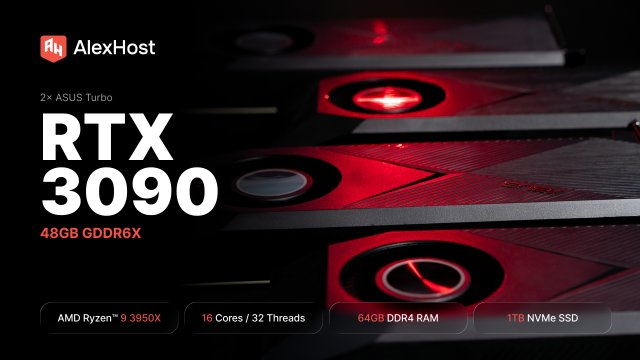
AlexHost just added a dual RTX 3090 dedicated GPU server. 48GB of GDDR6X, a 16-core Ryzen 9, fixed monthly price. Built for teams running self-hosted LLMs in production — not experiments, not occasional inference, but always-on workloads that need to…

At AlexHost, we’re constantly listening to our clients and adapting our infrastructure to meet their growing needs. Today, we’re proud to announce a significant expansion of our dedicated server offering in Bulgaria — a step that strengthens our presence in…
Selecting the right CPU for your server is one of the most consequential decisions you'll make in your infrastructure journey. Get it right, and your server will handle workloads efficiently, scale gracefully, and deliver reliable performance for years. Get it…
This platform uses the Dell EMC remote console layout, but the installation flow is still the standard Dell iDRAC method: launch the console, map the ISO through Virtual Media, reboot, open the one-time boot menu, and boot from the virtual…
This is a single-CPU server, but you can still install a custom ISO through the KVM interface. The flow here is simpler than on Dell or HP systems: choose the ISO in CD Image, start the virtual media, then reboot.
Preservation on a dedicated root server is provided through a combination of the most effective developments and solutions, including regular updates, firewalls, intrusion prevention options, and shield audits.
Engaging with root server hosting for the promotion of a specific business project may render several advantages. These include proven platform reliability, a premium level of preservation, pliability in resource management, comprehensive unrestricted control, and administrator-level ingress rights.
The deployment and setup of dedicated root server hosting usually consume a couple of hours for simple, basic configurations and longer (a day or more) for more complex multi-tiered setups and amplified configurations. For more precise deployment timelines, you may consult with specialists at AlexHost.
Fast setup. No long-term contracts