Русский
  Română
  Deutsch
  Français
  Türkçe
  Español
  Português
  Українська
  български
  Polski
  Indonesia
  中文 (中国)















































































































AMD®
RYZEN® 9 5950X

Base clock
3.4 GHZ
Turbo clock
4.9 GHZ
-
 16 Cores 32 Threads
 -
 DDR4 128 GB
 -
 2 x 2TB NVMe
 Open Ticket
  +373 79 600002 info@alexhost.com
  Telegram Live Chat Telegram Official
  F.A.Q
F.A.Q  English
























 Dedicated IPv4
 Full Root Access
 HDD / SSD / NVMe
 1 Gbps Speed
 IPv6 Support
 30-Day Refund
 Verified Company


AMD®
16 Cores 32 Threads DDR4 128 GB 2 x 2TB NVMe Intel® Pentium™
2 Cores 2 Threads DDR3 4/ SSD or SATA HDD Intel® Core™
2 Cores 4 Threads DDR3 4/ SSD or SATA HDD Intel® Core™
4 Cores 4 Threads DDR3 4/ SSD or SATA HDD Intel® Xeon®
6 Cores 12 Threads DDR3 4/ SSD or SATA HDD Intel® Core™
4 Cores 8 Threads DDR3 4/ SSD or SATA HDD 2x Intel® Xeon®
28 Cores 56 Threads DDR4 64 GB ECC 1TB SSD Intel® Xeon®
12 Cores 24 Threads DDR4 8/ SSD or NVMe 2x Intel® Xeon®
12 Cores 24 Threads DDR4 32/ SSD 2x Intel® Xeon®
36 Cores 72 Threads DDR4 32/ SSD 2x Intel® Xeon®
36 Cores 72 Threads DDR4 32/ SSD Intel® Core™
8 Cores 16 Threads DDR4 8/ M2 NVMe, M2 SSD or SATA HDD 2x Intel® Xeon®
28 Cores 56 Threads DDR4 64/ SSD Intel® Core™
12 Cores 24 Threads DDR4 8/ M2 NVMe, M2 SSD or SATA HDD AMD®
16 Cores 32 Threads DDR4 64/ NVMe SSD 2x Intel® Xeon®
40 Cores 80 Threads DDR4 64/ SSD 2x Intel® Xeon®
40 Cores 80 Threads DDR4 64/ SSD 48 Cores 96 Threads DDR4 256 GB 4 TB NVMe 48 Cores 96 Threads DDR4 256 GB 4 TB NVMe No plans in this price range.

AlexHost’s dedicated server unmanaged hosting gives each customer unlimited control over every element of the server and its full potential. By opting for this option in our organization, you can comfortably initiate software setup, manage and interact with the control panel as you see fit, and work with other system aspects. However, remember that this requires the appropriate expertise. If you are not sufficiently competent in managing an unmanaged dedicated server, your business will need to hire a skilled server administrator.
An unmanaged dedicated server may cost less than renting a standard hosting option with full support from AlexHost specialists. On one hand, this is an advantage, but on the other hand, you will need to apply your own knowledge in server administration or hire a qualified employee to manage the rented server for you. This latter aspect may incur additional expenses.

When seeking assistance from AlexHost for renting unmanaged dedicated hosting, be prepared to handle all aspects and intricacies of administration yourself, including the following:

Unmanaged dedicated hosting services from AlexHost typically offer a limited scope of technical support. However, by arrangement with the provider’s specialists, it can include the following aspects:
It’s important to note that technical support for unmanaged dedicated server web hosting often does not include assistance with software, application installation and configuration, data security, and other aspects typically covered by managed hosting.
Unmanaged dedicated hosting services require a preliminary choice of a specific OS, which will subsequently be considered your primary working platform. To select the optimal OS, it’s important to consider the following significant factors:
Considering these factors, you will be able to choose the most suitable operating system for your unmanaged server.

Spring has arrived, and so has one of AlexHost's best seasonal offers. This Easter, we're rolling out two deals worth celebrating: a sitewide discount code and a limited-edition dedicated server configuration at a price that won't last long.
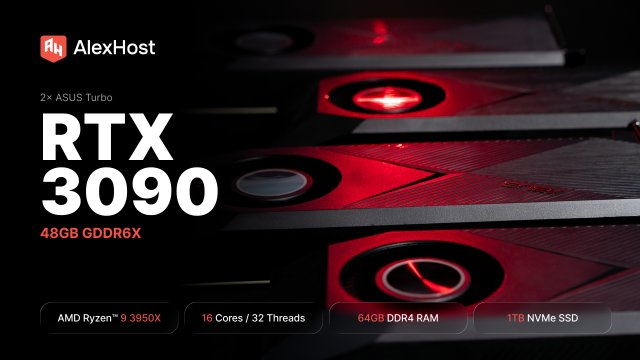
AlexHost just added a dual RTX 3090 dedicated GPU server. 48GB of GDDR6X, a 16-core Ryzen 9, fixed monthly price. Built for teams running self-hosted LLMs in production — not experiments, not occasional inference, but always-on workloads that need to…

At AlexHost, we’re constantly listening to our clients and adapting our infrastructure to meet their growing needs. Today, we’re proud to announce a significant expansion of our dedicated server offering in Bulgaria — a step that strengthens our presence in…

Server clustering is the practice of interconnecting multiple physical or virtual servers — called nodes — so they operate as a single, unified system. This architecture enables workload distribution, automatic failover, and horizontal scalability, ensuring that applications remain available even…

Selecting the right CPU for your server is one of the most consequential decisions you'll make in your infrastructure journey. Get it right, and your server will handle workloads efficiently, scale gracefully, and deliver reliable performance for years. Get it…

Email remains the backbone of digital communication for businesses and individuals alike. Whether you're sending transactional notifications, marketing campaigns, or everyday correspondence, a properly configured SMTP server is the invisible engine making it all possible. This comprehensive guide explains exactly…
To be confident in the security of the dedicated server unmanaged hosting environment, it's important to dedicate time to timely updating of the OS and software (prefer the latest versions of products). Also, take the time to properly configure the firewall (it will help limit illegal and unauthorized access to the server). Use complex and long passwords and consider a secure method of storing them.
When selecting a configuration for dedicated hosting unmanaged server, consider its geographical location primarily to ensure minimal delays in its operation and quick access to information. Additionally, evaluate the level of offered execution and infrastructure specifics, including available network connections and power consumption. The infrastructure capabilities and equipment quality in the data center are equally important.
Before directly renting unmanaged dedicated server hosting, evaluate the type of processor (CPU) and the number of cores (responsible for quality server conduct). Also, assess the amount of RAM and make sure it fully meets the requirements of your web project. Additionally, check parameters such as the type of data storage, its operating speed, network bandwidth, connection format, and internet connection quality.
Fast setup. No long-term contracts