Русский
  Română
  Deutsch
  Français
  Türkçe
  Español
  Português
  Українська
  български
  Polski
  Indonesia
  中文 (中国)















































































































AMD®
RYZEN® 9 5950X

Base clock
3.4 GHZ
Turbo clock
4.9 GHZ
-
 16 Cores 32 Threads
 -
 DDR4 128 GB
 -
 2 x 2TB NVMe
 Open Ticket
  +373 79 600002 info@alexhost.com
  Telegram Live Chat Telegram Official
  F.A.Q
F.A.Q  English
























 Dedicated IPv4
 Full Root Access
 HDD / SSD / NVMe
 1 Gbps Speed
 IPv6 Support
 30-Day Refund
 Verified Company


AMD®
16 Cores 32 Threads DDR4 128 GB 2 x 2TB NVMe Intel® Pentium™
2 Cores 2 Threads DDR3 4/ SSD or SATA HDD Intel® Core™
2 Cores 4 Threads DDR3 4/ SSD or SATA HDD Intel® Core™
4 Cores 4 Threads DDR3 4/ SSD or SATA HDD Intel® Xeon®
6 Cores 12 Threads DDR3 4/ SSD or SATA HDD Intel® Core™
4 Cores 8 Threads DDR3 4/ SSD or SATA HDD 2x Intel® Xeon®
28 Cores 56 Threads DDR4 64 GB ECC 1TB SSD Intel® Xeon®
12 Cores 24 Threads DDR4 8/ SSD or NVMe 2x Intel® Xeon®
12 Cores 24 Threads DDR4 32/ SSD 2x Intel® Xeon®
36 Cores 72 Threads DDR4 32/ SSD 2x Intel® Xeon®
36 Cores 72 Threads DDR4 32/ SSD Intel® Core™
8 Cores 16 Threads DDR4 8/ M2 NVMe, M2 SSD or SATA HDD 2x Intel® Xeon®
28 Cores 56 Threads DDR4 64/ SSD Intel® Core™
12 Cores 24 Threads DDR4 8/ M2 NVMe, M2 SSD or SATA HDD AMD®
16 Cores 32 Threads DDR4 64/ NVMe SSD 2x Intel® Xeon®
40 Cores 80 Threads DDR4 64/ SSD 2x Intel® Xeon®
40 Cores 80 Threads DDR4 64/ SSD 48 Cores 96 Threads DDR4 256 GB 4 TB NVMe 48 Cores 96 Threads DDR4 256 GB 4 TB NVMe No plans in this price range.

Windows features one of the most popular PS users’ operating systems, structured by the authoritative Microsoft corporation. This is a basic program starting instantly at the stage of the computer or laptop turning on. Windows offers users unlimited opportunities for qualitative interaction with files, websites and programs preinstalled on the device. More and more websites, created online, are aimed at the mentioned OS requirements, that’s why the Windows server rent service becomes extremely popular. The AlexHost hosting-provider offers all users beneficial Windows server rent, guaranteeing comprehensive technical support and server equipment stable operating.
Together with the designated operating system, a package of related utilities can be installed on the computer, which will facilitate the daily software operation. Traditionally, the list of such programs includes WordPad, NotePad, calculator, Paint (image editing tool), antivirus, browser, music and video player. In parallel, it is allowed to install other utilities and games downloaded from the Internet (paid and free versions).
If you are also interested in Windows server rent, consult with AlexHost hosting-provider’s managers. We will offer you the best server solutions at the best prices on an individual basis. It is worth noting that, in view of its simplicity and reliability, the Windows operating system is deservedly one of the most popular and in demand. More and more users are choosing Windows because of its high integration level with the core functionality and related software, including the notorious MS Office.
What is the main Windows OS technical feature? Possibly, this is the fact that currently it gains wide spread both on PC and computing equipment server versions. So, one of the last Windows 10 versions has got a final element status in general Windows releases chain. Though, this doesn’t mean the absolute end of its cyclicality. Thus, the demand for the Windows hosting servers rent will also grow.
In the form of an integrated OS, absolutely all Windows versions are offered to users together with an already formed software package that is ready for use immediately after the successful installation procedure completion. So, starting from the primary version, users were given access to basic text editors and a calculator. The next Windows 9 included:
Windows Vista was equipped with a photo gallery (DVD Maker) and an improved sidebar (implemented as informer gadgets in 7, 8 and 10 versions). An additional security tool (firewall) appeared in this OS after the second Windows XP and Vista service pack release. The designated functionality in modern Windows OC is built on the basis of the core. Due to the sandbox use, no malicious files and programs are now able to harm the system. The entire structure of the software functions strictly outside the main core, including third-party anti-virus systems.
Due to the high degree of reliability and security of such an operating system, more and more digital projects on the network are being implemented in accordance with its requirements. In turn, the reliable AlexHost provider is ready to offer you to rent a Windows server and save the company’s budget on buying server equipment and its maintenance. Renting a Windows server is a profitable and rational solution for the implementation of any commercial and non-commercial web project.

If you are planning to order the dedicated Windows server rent, get acquainted with the designated OS advantages beforehand. The following points are among its basic benefits:
Have you already evaluated the offered OS advantages? We would like to remind, that the most beneficial dedicated Windows server rent is available at the AlexHost provider. The Windows physical server rent guarantees technical support, any problems quick solving, stable traffic and best hosting price.
Renting a Windows server will permit you to unleash the potential of any commercial idea and realize it in the best possible way in a digital format. Choose the best server solution, and AlexHost specialists will take care of all associated tasks related to maintaining server hardware, troubleshooting, guaranteeing stable and uninterrupted traffic. Windows hosting server rental is a service that can be ordered directly on the site, or by contacting our managers by phone or in one of the well-known instant messengers. We are ready to provide advice in any format convenient for you, talk about the advantages of server renting in our organization and give some recommendations on choosing the best server solution. We will clarify the features and requirements of your project and recommend the best offer for renting a dedicated Windows server.
For the stable operation of any site, regardless of the nature of its configuration, it is important to have a stable server. Today, more and more companies are refusing to purchase equipment, preferring a more rational and in all respects profitable dedicated Windows server rent.
Managing a dedicated Windows server is a seamless process with the support of AlexHost, facilitated through remote access and associated web tools. The essential set of management techniques encompasses the following:
The selection of a specific control method depends on the user’s preferences, the tasks at hand, and the user’s level of technical expertise. Whether opting for the user-friendly Remote Desktop, command line tools, a dedicated control panel, or the comprehensive RSAT suite, AlexHost ensures a versatile and accessible management experience for your dedicated Windows server.

Spring has arrived, and so has one of AlexHost's best seasonal offers. This Easter, we're rolling out two deals worth celebrating: a sitewide discount code and a limited-edition dedicated server configuration at a price that won't last long.
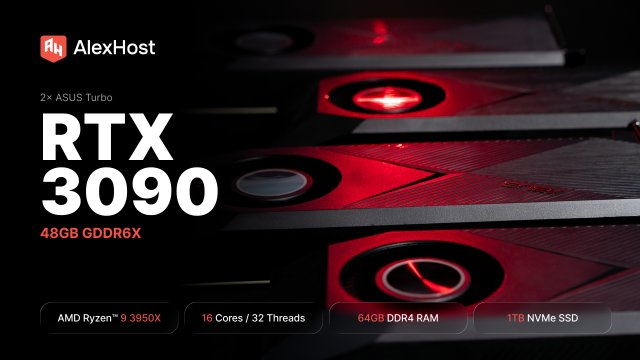
AlexHost just added a dual RTX 3090 dedicated GPU server. 48GB of GDDR6X, a 16-core Ryzen 9, fixed monthly price. Built for teams running self-hosted LLMs in production — not experiments, not occasional inference, but always-on workloads that need to…

At AlexHost, we’re constantly listening to our clients and adapting our infrastructure to meet their growing needs. Today, we’re proud to announce a significant expansion of our dedicated server offering in Bulgaria — a step that strengthens our presence in…
This is a single-CPU server, but you can still install a custom ISO through the KVM interface. The flow here is simpler than on Dell or HP systems: choose the ISO in CD Image, start the virtual media, then reboot.

These systems use the HPE iLO web console. The process is to open the remote console, mount the ISO as virtual media, boot from it once, install the OS, then unmount the ISO.
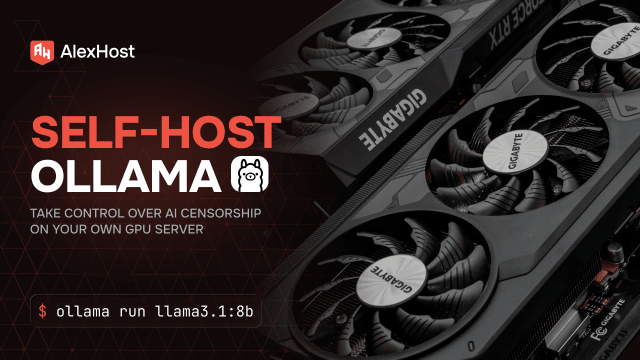
Before diving into the setup, here are the terms most likely to confuse readers in this guide. This quick glossary keeps the Linux, GPU, and local-model vocabulary clear from the start.
A dedicated server for the Windows operating system is a server on which the Windows operating system is installed and which is completely dedicated to one client. This means that resources such as CPU, memory, and disk space are not used by other clients, and the client has full control over the server.
We have several types of dedicated servers available for the Windows operating system, including physical dedicated servers and virtual dedicated servers.
Using dedicated servers for the Windows operating system provides a number of benefits, such as increased performance and reliability, a high degree of security, full control over the server, and customization flexibility.
When choosing a suitable dedicated server for the Windows operating system, you need to consider such factors as the required resources (processor, memory, disk space), type of server (physical or virtual), cost and level of support.
Setting up a dedicated server for the Windows operating system may include installing the operating system, setting up the network, and setting up security. This may require certain knowledge and skills, so AlexHost.com specialists will help you with this.
Installing and handing over a dedicated server under Windows OS to a client, in standard operating mode, takes no more than 1-2 hours of working time. But the company's regulations state that the installation of the server takes no more than 24 hours from the moment the payment is confirmed by our billing system.
Yes, you have full control over all the rights of your dedicated server.
Fast setup. No long-term contracts