 Open Ticket
  +373 79 600002
  Telegram Live Chat
  F.A.Q
F.A.Q  English
 Русский
  Română
  Deutsch
  Français
  Türkçe
  Español
  Português
  Українська
  български
  Polski
  Indonesia
  中文 (中国)







































































































































 Administration
Updating the Kernel in Linux: Distribution Guide
Update Linux Kernel on AlexHost VPS: Secure, Fast, and Stable Performance
The Linux kernel is the core of your operating system, managing hardware, security, and performance. Regular updates patch vulnerabilities, boost stability, and enable new features. On AlexHost’s VPS with NVMe storage, root access, and DDoS protection, kernel updates are fast and secure. This guide covers Ubuntu, Debian, CentOS, RHEL, and Arch Linux with step-by-step commands.
Updating the Kernel in Ubuntu and Debian
For these Linux distributions, apt is used. To get started, you need to run the following commands:
apt update
apt upgrade
apt dist-upgradeThen install the new kernel. This can be done like this:
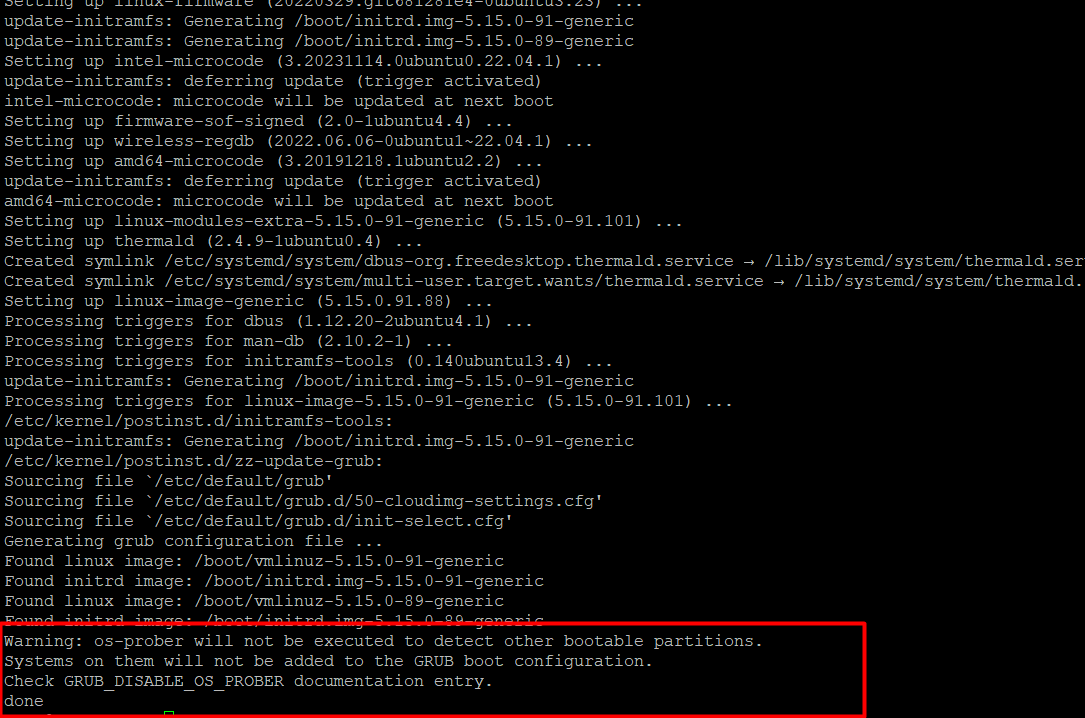
apt install linux-image-generic
Confirm installation and continue
Updating the Kernel in CentOS and RHEL
Update the system with a simple command using yum
sudo yum updateInstalling a new kernel is available using the following command:
yum install kernelYou also need to update the bootloader configuration using the command:
grub2-mkconfig -o /boot/grub2/grub.cfgThen reboot the system:
rebootUpdating the Kernel in Arch Linux
This article will use Pacman. Enter the following command to confirm the steps
pacman -SyuIs it possible to install a new kernel using the following command?
pacman -S linuxYou should then update the bootloader configuration using the command
mkinitcpio -p linuxThe last step is to update GRUB:
grub-mkconfig -o /boot/grub/grub.cfgThen Reboot your system:
rebootConclusion: Keep Your Linux Kernel Updated and Secure with AlexHost VPS
Regular kernel updates enhance security and performance. On AlexHost’s VPS, leverage NVMe for fast boots, root access for control, and DDoS protection for safety. Update today for a stable, secure server!