Open Ticket
  +373 79 600002
  Telegram Live Chat
  F.A.Q
F.A.Q  English
 Русский
  Română
  Deutsch
  Français
  Türkçe
  Español
  Português
  Українська
  български
  Polski
  Indonesia
  中文 (中国)







































































































































How to choose your perfect Linux distro?
Why Choosing the Right Linux Distribution Actually Matters

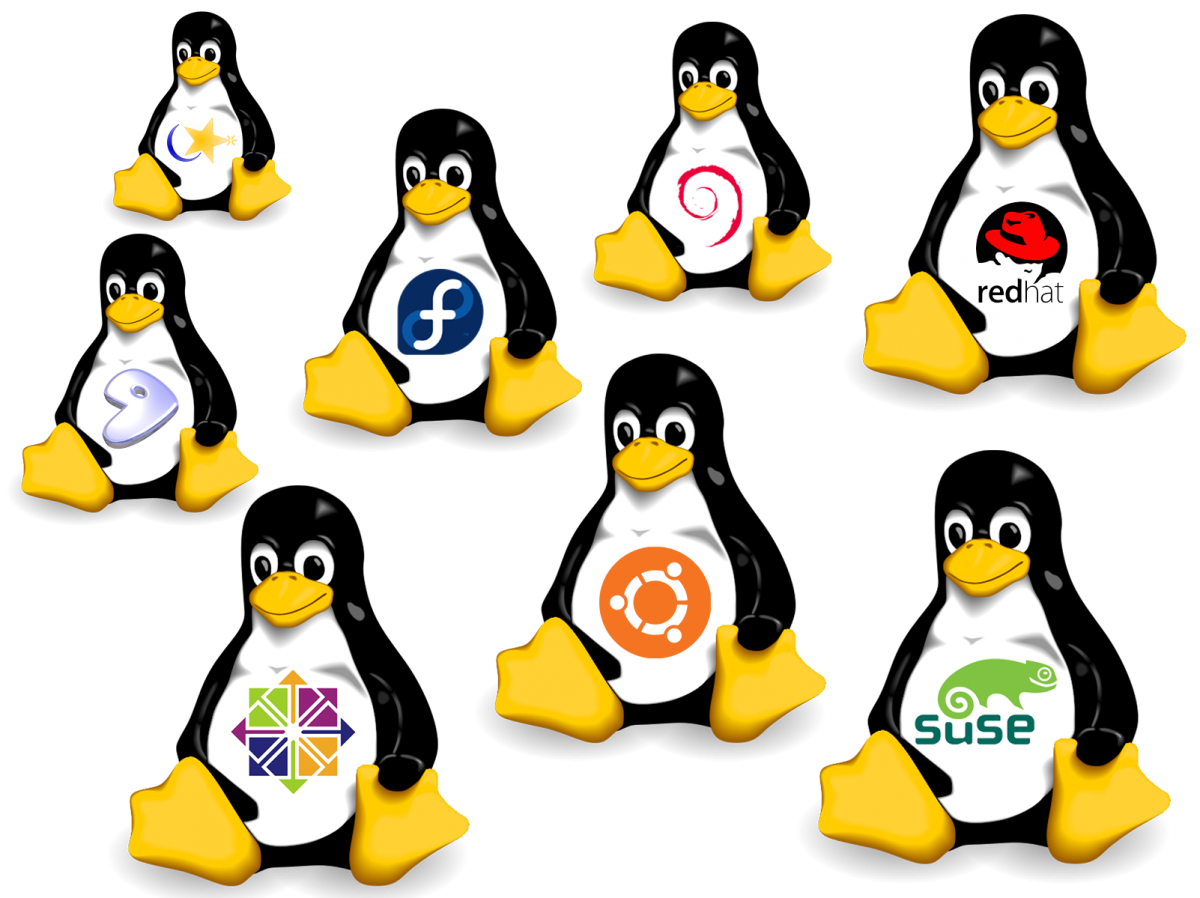
Linux isn’t one operating system. It’s one kernel — the core piece of software that talks to your hardware — that hundreds of different groups have wrapped into complete, usable systems called distributions (or “distros” for short). Each one makes different choices about what software to include, how updates work, and what the desktop looks like. The result is an ecosystem where the wrong choice can cost you hours of frustration, and the right choice feels completely invisible.
That’s an unusual position to be in. On Windows or macOS, you don’t choose your operating system — you get what Apple or Microsoft gives you. On Linux, you choose. And that freedom is both the platform’s greatest strength and the thing that makes newcomers hesitate.
Why This Decision Cascades
The distro you pick isn’t just a one-time setup choice. It shapes everything that comes after:
- What software is available — and how easily you can install it
- How often your system changes — and whether those changes surprise you
- Where you go for help — some communities are massive, others are niche but deeply knowledgeable
- How long your system stays supported — from 13 months to 10+ years
- Your total cost of ownership — especially if you’re running servers or VPS instances at scale
Whether you’re picking a desktop OS for your personal computer, choosing a VPS image for a web project, or deploying production servers for a business, the distro decision echoes through every subsequent choice you make.
Why 2026 Is a Turning Point
Linux desktop market share hit 4.7% globally in 2025 — a 70% increase since 2022. In the United States, it crossed the 5% threshold for the first time. These aren’t dramatic numbers compared to Windows or macOS, but the rate of growth is what matters. Linux hasn’t grown this fast on the desktop since the early 2010s.
Three forces are driving this:
- Windows 10 reached end of support in October 2025, leaving an estimated 240 million devices without security updates. Millions of perfectly functional computers suddenly faced a choice: buy new hardware that meets Windows 11’s requirements, or find an alternative. Linux distributions like Zorin OS saw over 1 million downloads in just two months — with 78% coming from Windows machines.
- Linux gaming crossed a genuine inflection point. Thanks to Valve’s Proton compatibility layer, approximately 89.7% of Windows games now run on Linux — most with no configuration required. The Steam Deck proved that Linux gaming isn’t a compromise; it’s a viable platform. Steam’s own hardware survey recorded Linux at an all-time high of 3.58% in December 2025, and the upcoming Steam Machine is expected to push those numbers further.
- Local AI and machine learning are exploding on consumer hardware. Tools like Ollama and LM Studio let anyone run large language models on their own machine — and Linux, with its native support for CUDA, ROCm, and containerized workflows, is the natural platform for this work.
The Server Side of the Story
If desktop Linux is growing, server Linux is already dominant. Linux powers 44.8% of all server operating systems and 59.2% of all websites with a known operating system. Every one of the world’s top 500 supercomputers runs Linux. The cloud — AWS, Google Cloud, Azure — runs primarily on Linux.
For anyone managing a VPS or dedicated server, the distro choice determines your security posture, your software ecosystem, and your maintenance burden for years. It’s not a decision you want to make by guessing.
The Real Stakes
Here’s the thing that makes this decision weighty: unlike switching browsers or trying a new app, switching Linux distributions means starting over. You reinstall. You reconfigure. You relearn where things are. Your /home directory might survive, but everything underneath it gets rebuilt.
That’s why getting it right the first time matters — and why this guide exists.
The rest of this article will walk you through what makes distributions different, how to narrow your options based on your actual needs, and which distros are worth considering in 2026. Whether you’ve never opened a terminal or you’ve been running Arch Linux for a decade, there’s something here for you.
What Makes Linux Distributions Different
If you’ve never used Linux before, it’s easy to assume that switching from one distribution to another is like switching from Chrome to Firefox — same basic thing, just a different coat of paint. That assumption will lead you astray.
The reality is closer to the difference between a screwdriver and a laser cutter. Both are tools, yes. But they’re built for different jobs, they work in fundamentally different ways, and picking the wrong one doesn’t just feel slightly off — it makes the task impossible.
Every Linux distribution starts with the same foundation: the Linux kernel. From there, each distro makes three major architectural choices that define what the experience is actually like. Understanding these three pillars is the single most useful thing you can know before picking a distro.
Pillar 1: The Desktop Environment
The desktop environment (DE) is everything you see and interact with — your taskbar, window borders, application launcher, system tray, file manager, settings panels. It’s the face of your operating system.
The kernel doesn’t care which one you use. You can install almost any desktop environment on almost any distribution. But most distros ship with one pre-selected, and that choice shapes your first impression significantly.
🖥️ GNOME — The Modern Default
If you want a desktop that feels sleek and modern and you have decent hardware, GNOME delivers. | 🎮 KDE Plasma — The Customizer’s Dream
If you like to tweak every setting and want maximum control, KDE is your desktop. |
⚡ XFCE & LXQt — The Lightweight Winners
They won’t win design awards, but they’re fast, stable, and get out of your way. | 🚀 COSMIC — The Newcomer
Version 1.0 launched recently, and early predictions suggest it could become one of the most popular desktop environments by the end of 2026. |
Server note: Most server distributions don’t ship a desktop environment at all. They’re “headless” — you manage them entirely through the terminal via SSH. This isn’t a limitation; it’s a feature. Desktop environments consume RAM and CPU that a server needs for actual workloads. A minimal server install uses roughly 200-400MB of RAM at idle. Add a full desktop environment and that jumps to 1-2GB.
Pillar 2: The Package Manager
If the desktop environment is what you see, the package manager is how you get things done. It’s the system that installs, updates, and removes software — the equivalent of an app store, but typically accessed through the terminal.
Different distributions use different package managers, and each has its own philosophy:
📚 APT — The Universal Standard
Commands are straightforward: update your package list, then install what you need. | ⚡ DNF — The Speed Optimizer
This is why developers and system administrators often prefer distributions that use it. |
🎯 Pacman — The Minimal Powerhouse
If it exists, someone has already packaged it. | 🔒 Nix — The Reproducible Machine
It’s the gold standard for reproducibility. |
🌐 Universal Formats — The Great Equalizer
The package manager still matters for system-level software, drivers, and the core experience, but for everyday apps, universal formats are the great equalizer. | |
Server note: Server distributions prioritize stability over freshness. Packages might be months or even years behind the latest upstream release. This is intentional. Server administrators don’t want the newest version of a web server — they want the version that’s been thoroughly tested, security-patched, and proven not to break production workloads.
Pillar 3: The Release Model
The release model determines how and when your system changes over time. This is one of the most consequential choices you’ll make, because it affects your relationship with the operating system for as long as you use it.
📅 Fixed Release — The Predictable Path
The tradeoff is that software between releases can feel stale, unless you use universal package formats to get newer versions of individual applications. | 🔄 Rolling Release — The Continuous Flow
The tradeoff is that updates can occasionally break things, and you need to pay attention to release announcements. Rolling release rewards engagement; it punishes neglect. |
🧱 Immutable (Atomic) Release — The Unbreakable System
The tradeoff is reduced flexibility: you can’t freely modify system directories, which some power users find limiting. | |
Server note: Fixed release with long-term support is the standard for servers. You want predictability, not surprises. Rolling release on a production server is generally considered a bad idea — the last thing you want is for a kernel update to change behavior in your database server at 2 AM.
Desktop vs Server: A Quick Comparison
To make the distinction concrete, here’s how desktop and server distributions typically differ:
| Aspect | Desktop Distro | Server/VPS Distro |
|---|---|---|
| Interface | Graphical desktop | Command-line only (headless) |
| Package focus | Browsers, office apps, media | Web servers, databases, containers |
| Update priority | Balance of new features + stability | Maximum stability, minimal changes |
| Resource use | 2-8GB RAM typical | 512MB-4GB RAM typical |
How to Choose: The Decision Framework
With hundreds of Linux distributions available, the sheer number of options can feel paralyzing. But you don’t need to evaluate all of them. Three questions will eliminate roughly 80% of your options immediately.
Question 1: What’s Your Technical Comfort Level?
🖥️ Never Opened a Terminal
Look for distributions with polished software centers, automatic driver detection, and large communities where someone has already solved every problem you’ll encounter. | 📖 Comfortable Following Tutorials
You have significantly more options. You can use distributions that assume basic terminal literacy and reward it with more control and newer software. |
🛠️ Read Documentation for Fun
These are powerful tools, but they don’t hold your hand. | |
| 💡 The Bottom Line There’s no shame in any of these answers. The worst mistake is choosing a distribution that’s too advanced for your current skill level — not because you can’t learn, but because the friction will make the experience frustrating rather than enjoyable. | |
Question 2: What Hardware Are You Running?
Linux runs on everything from smartwatches to supercomputers, but not every distribution runs well on every machine.
💻 Modern PC (8GB+ RAM, SSD, processor from the last 5 years)
Choose based on what you want to do, not what your hardware can handle. | 📓 Older Laptop (4GB RAM, 2012-2018 era)
The distribution itself matters less than the desktop environment it uses. |
🕰️ Ancient Hardware (2GB RAM or less)
| 🖧 Server or VPS
|
Question 3: What Do You Actually Need to Do?
This is where your use case narrows the field to a handful of serious candidates.
📧 Browse, Email, Documents
| 💻 Software Development
| 🤖 Running AI/ML Models
|
🌐 Hosting Websites or Services
| 🔒 Security Testing
| 🕶️ Maximum Privacy
|
🎮 Gaming
The days of manually configuring Wine prefixes are largely over — if you pick the right gaming distribution. | ||
The Best Linux Distribution for Your Use Case
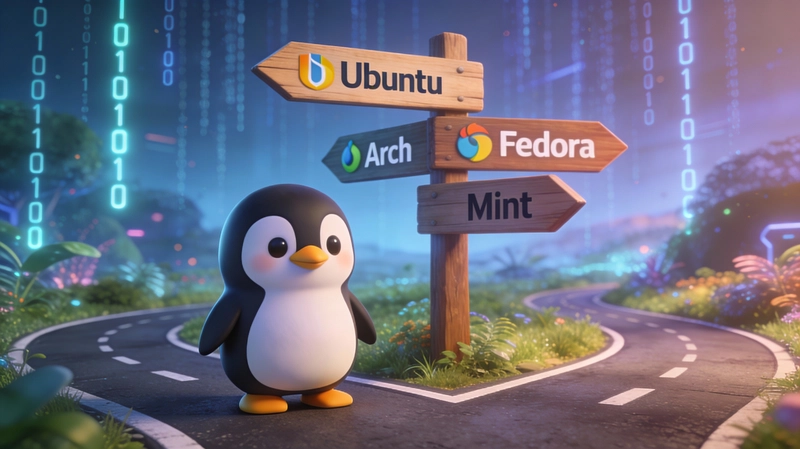
To help you cut through the noise, we’ve broken down the top choices by use case. Each entry includes a quick-reference breakdown and a short explanation of why it earns its spot.
Best for Beginners
If you’re new to Linux, your priority is a system that works out of the box, has a massive community for support, and doesn’t require the terminal for everyday tasks.
Ubuntu
- Analogy: The Toyota Camry of Linux — dependable, universally supported, and every mechanic knows how to fix it.
- Why it works: 5-year LTS support cycles, the largest software repository, and hardware auto-detection that just works.
- Best for: Complete beginners, Windows/macOS migrants, anyone prioritizing stability.
- Downsides: Snap packages can add startup delays; some settings are locked for simplicity.
- Why it’s the default: If you want the path of least resistance, Ubuntu is it. It’s the most documented, most supported, and most widely used desktop Linux for a reason. When you run into a problem, someone has already solved it.
Linux Mint
- Analogy: Ubuntu after someone removed the experimental features and controversial opinions.
- Why it works: The Cinnamon desktop mimics the traditional Windows layout precisely; multimedia codecs come pre-installed; Timeshift backup creates automatic system snapshots.
- Best for: Windows users, older computers (2012-2018), anyone uncomfortable with interface changes.
- Downsides: Follows Ubuntu LTS schedules, meaning newer software arrives months later than on Fedora or Arch.
- Why it feels like home: It’s the closest thing to a “better Windows” you’ll find. The learning curve is practically zero — you just sit down and start working.
Zorin OS
- Analogy: A carefully designed bridge from Windows to Linux — not a leap, a walkway.
- Why it works: Built-in layout switching (Windows or Mac modes); polished, modern design; saw over 1 million downloads in two months following the Windows 10 end-of-support.
- Best for: Windows 10 migrants who want familiarity without compromise.
- Downsides: Some advanced layout options are locked behind the paid Pro version; smaller community than Ubuntu.
- Why it stands out: It’s the most beautiful transition tool available. You get a familiar interface that gradually introduces you to Linux without ever feeling foreign.
Pop!\_OS
- Analogy: A workstation designed by people who actually build things.
- Why it works: The new COSMIC desktop (Rust-based, incredibly fast); hybrid GPU switching out of the box; excellent window tiling for developers.
- Best for: Creators, developers, users with NVIDIA GPUs, people who value workflow efficiency.
- Downsides: COSMIC is still maturing; community is smaller than Ubuntu’s.
- Why it’s a productivity powerhouse: Out-of-the-box NVIDIA driver support and seamless GPU switching make it the easiest Linux laptop for creative work. The tiling workflow alone will save you hours.
Best for Developers

Fedora Workstation
- Analogy: Where tomorrow’s technology ships today.
- Why it works: Newest programming languages and compilers arrive within weeks of release; Podman pre-installed; direct pipeline to RHEL enterprise deployments.
- Best for: Application developers, sysadmins learning RHEL, people who want current tools without Arch complexity.
- Downsides: Six-month release cycle requires major upgrades twice a year.
- Why devs love it: It’s the sweet spot between cutting-edge and stable. You get the latest Python, Rust, and Go versions without having to compile them yourself.
Arch Linux
- Analogy: The blank canvas.
- Why it works: Rolling release means you’re always current; the AUR (Arch User Repository) has over 102,000 packages; the Arch Wiki is the gold standard of Linux documentation.
- Best for: Experienced users who want to understand every layer; developers who customize everything.
- Downsides: Command-line installation takes 3-6 hours for beginners; occasional breaking updates require reading release notes.
- Why it’s worth the effort: You build exactly what you need, nothing more. The Arch Wiki alone is worth the learning curve — it’s the most comprehensive Linux documentation on the internet.
NixOS
- Analogy: The reproducible machine.
- Why it works: The entire operating system is defined declaratively in a single configuration file; atomic rollbacks mean you can undo any change instantly; perfect for reproducible environments.
- Best for: DevOps engineers, AI/ML researchers, people who value consistency above all else.
- Downsides: Steep learning curve; the Nix language is unique and takes time to master.
- Why it’s the future of dev environments: Define your OS as code. Share that config with a colleague, and they get the exact same environment. If an update breaks something, roll back in seconds.
openSUSE Tumbleweed
- Analogy: Rolling release with a safety net.
- Why it works: Automated testing (openQA) catches breaking changes before they reach you; Btrfs snapshots for instant rollback; YaST graphical configuration tool.
- Best for: Developers wanting cutting-edge software without the risk; KDE enthusiasts.
- Downsides: Zypper package manager has different syntax; smaller English-language community.
- Why it’s the safe rolling choice: You get the latest software with an automated testing layer that catches the breakage before it hits your machine.
Best for Gaming

Bazzite
- Analogy: The console experience.
- Why it works: Built on Fedora Atomic (immutable system); pre-loaded with Steam, Lutris, Heroic, MangoHud, and GameMode; dedicated images for Steam Deck, ROG Ally, and Legion Go.
- Best for: Living-room PCs, handheld devices, users who want stability over tinkering.
- Downsides: Immutable model limits deep system customization.
- Why it’s the console killer: Install it and play. It’s the closest thing to a plug-and-play Linux gaming console, complete with 90-day update rollback so a bad patch never ruins your night.
CachyOS
- Analogy: The speed demon.
- Why it works: Arch-based with aggressive CPU-specific optimizations (x86-64-v3/v4, Zen 4/5); custom BORE scheduler for responsiveness; Proton-CachyOS fork with extra gaming tweaks; currently the #1 desktop distro on ProtonDB.
- Best for: Performance enthusiasts, advanced users, Gamers who want maximum FPS.
- Downsides: Arch-based means more maintenance; requires Linux knowledge for troubleshooting.
- Why it’s #1 on ProtonDB: It squeezes every last frame out of your hardware. The CPU-optimized packages and custom scheduler deliver measurable performance gains in demanding titles.
Nobara
- Analogy: Plug-and-play gaming.
- Why it works: Built on Fedora and maintained by GloriousEggroll (the creator of Proton-GE); includes everything gamers need out of the box — codecs, drivers, OBS Studio, and the falcond auto-optimizer.
- Best for: Gamers new to Linux, streamers, users who want everything pre-configured.
- Downsides: Maintained by a small team; less enterprise-grade stability than vanilla Fedora.
- Why it just works: It’s maintained by the person who makes Proton better for everyone else. If a game needs a special patch or kernel tweak, it’s already in Nobara.
Best for AI/ML & Data Science

Ubuntu AI
- Analogy: The AI standard.
- Why it works: Pre-configured CUDA/ROCm support; TensorFlow and PyTorch ready out of the box; the largest troubleshooting community for ML issues.
- Best for: AI beginners, ML engineers, teams needing standardized environments.
- Downsides: Can feel heavy for simple inference tasks.
- Why it’s the default for AI: If an AI tool exists, it runs on Ubuntu first. The documentation, community support, and pre-built containers make it the path of least resistance.
Pop!\_OS
- Analogy: The hybrid graphics powerhouse.
- Why it works: Seamless NVIDIA/AMD GPU switching built-in; COSMIC desktop workflow optimized for multitasking; System76’s hardware is purpose-built for AI workloads.
- Best for: Laptop users with hybrid graphics, local AI inference on consumer hardware.
- Downsides: Smaller community than Ubuntu.
- Why it’s great for laptops: Switching between integrated and discrete GPUs for AI work is a nightmare on most Linux distros. On Pop!\_OS, it’s a single toggle.
Fedora AI
- Analogy: The bleeding-edge lab.
- Why it works: Newest Python versions and ML libraries arrive first; Podman pre-installed for containerized AI workflows; SELinux security by default.
- Best for: Researchers who need the latest tooling, developers building production ML pipelines.
- Downsides: Short support cycle means frequent major upgrades.
- Why researchers choose it: When you need the absolute latest PyTorch or CUDA drivers weeks before they hit LTS distros, Fedora delivers.
NixOS
- Analogy: The reproducible experiment.
- Why it works: Define your entire AI environment (Python version, CUDA, libraries) in a single config file; share it with collaborators and know it will work identically on their machine.
- Best for: Academic research, reproducible ML pipelines, teams sharing environments.
- Downsides: Steep learning curve for the Nix language.
- Why it solves the “it works on my machine” problem: Reproducibility is the holy grail of AI research. NixOS delivers it at the operating system level.
Best for Servers & VPS
Ubuntu Server
- Analogy: The cloud standard.
- Why it works: Powers 33.9% of enterprise Linux deployments; largest cloud presence; most tutorials and community support of any server OS.
- Best for: Web hosting, cloud infrastructure, DevOps, beginners managing servers.
- Downsides: Canonical’s push for Snap packages can complicate some server workflows.
- Why it’s the safest bet: If you’re deploying your first VPS, Ubuntu Server is the answer. The documentation is endless, the community is massive, and providers like AlexHost offer one-click Ubuntu Server deployment across multiple European datacenters.
Rocky Linux / AlmaLinux
- Analogy: The enterprise workhorses.
- Why it works: 1:1 binary compatible with RHEL; 10-year support lifecycle; free alternative to Red Hat’s subscription model.
- Best for: Production servers, enterprise workloads, CentOS migrants.
- Downsides: Packages are older by design; not ideal for cutting-edge software.
- Why enterprises choose them: You get Red Hat Enterprise Linux stability and compatibility without the subscription fee. Both are available on AlexHost’s VPS and dedicated server offerings.
Debian
- Analogy: The rock-solid foundation.
- Why it works: Powers 16% of enterprise Linux deployments; the foundation Ubuntu is built on; famously stable and minimal.
- Best for: Stability-critical systems, experienced admins who want minimal overhead.
- Downsides: Packages can be years behind upstream; requires more manual configuration.
- Why it endures: It doesn’t change. It just works. If you want a set-and-forget server that will run the same way for five years, Debian is the answer.
Server Distro Quick Comparison
| Distro | Package Manager | Support Cycle | Best For |
|---|---|---|---|
| Ubuntu Server | APT | 5 years (LTS) | General purpose, cloud, beginners |
| Rocky Linux | DNF | 10 years | Enterprise, RHEL compatibility |
| Debian | APT | 3-5 years | Maximum stability, minimal overhead |
| AlmaLinux | DNF | 10 years | Enterprise, CentOS replacement |
| Fedora Server | DNF | 13 months | Cutting-edge server tech testing |
Best for Specialized Needs

Kali Linux
- Analogy: The security lab.
- Why it works: 600+ pre-installed security and penetration testing tools; rolling updates; live USB capability.
- Best for: Penetration testers, security researchers, cybersecurity students.
- Not for: Daily desktop use.
- Why it’s the industry standard: Boot it from a USB and you have a complete security testing environment. No setup, no configuration — just tools.
Tails
- Analogy: The digital ghost.
- Why it works: All traffic routed through Tor; amnesiac (erases everything on shutdown); USB-bootable; designed by privacy advocates.
- Best for: Journalists, whistleblowers, activists, anyone needing maximum anonymity.
- Not for: Everyday computing or persistent storage.
- Why it’s unmatched: It leaves zero trace. When you shut it down, it’s like it never existed.
Puppy Linux
- Analogy: The hardware resurrectionist.
- Why it works: Runs on as little as 256MB RAM; entire system loads into memory; under 300MB storage footprint.
- Best for: Resurrecting ancient hardware, ultra-portable USB systems, emergency recovery.
- Not for: Modern workflows or heavy applications.
- Why it’s magical: If a computer has a CPU and a screen, Puppy can probably run on it. It’s the ultimate tool for giving old hardware one more life.
What’s Your Next Move with Linux?
If you’re just starting out, create a Live USB with your chosen distribution and spend 30 minutes exploring the live environment before installing anything. If you’re ready to deploy a server, host a website, or run AI workloads, the right infrastructure matters just as much as the right distro. AlexHost offers one-click Linux VPS deployments across European datacenters, managed and unmanaged server options, dedicated servers with NVIDIA Tesla GPUs for machine learning, and DDoS-protected infrastructure — all backed by 24/7 support, a 30-day money-back guarantee, and over 15 years of hosting experience. Whether you’re testing your first container or scaling production workloads, the combination of the right distribution and reliable hosting is what turns experimentation into something real.
Conclusion
Linux distributions are different tools built for different jobs, and the right one isn’t the most popular or the most technically impressive — it’s the one that matches your actual needs, your hardware, and your willingness to learn. In 2026, Linux is more accessible than it has ever been: the gaming barrier has largely fallen, AI tools run natively, and server deployments are a single click away. The question is no longer whether Linux can do what you need, but which distribution will do it best for you. Start with a Live USB, test for thirty minutes, break things and fix them — that’s the Linux way. And when you’re ready to move from experimentation to production, whether that’s hosting your first website, deploying a web application, or running AI inference on dedicated GPU infrastructure, a reliable hosting partner like AlexHost makes the transition seamless.